

Easily create, convert, edit, merge and work with PDFs
Without the endless payments
Our Most Powerful PDF Editor Ever


Everything You Need Except the High Price Tag
Power PDF is packed with powerful features and robust security, yet easy to use. It’s fully scalable and ready for entrepreneurs to Fortune 500 businesses—all at an unbeatable price.
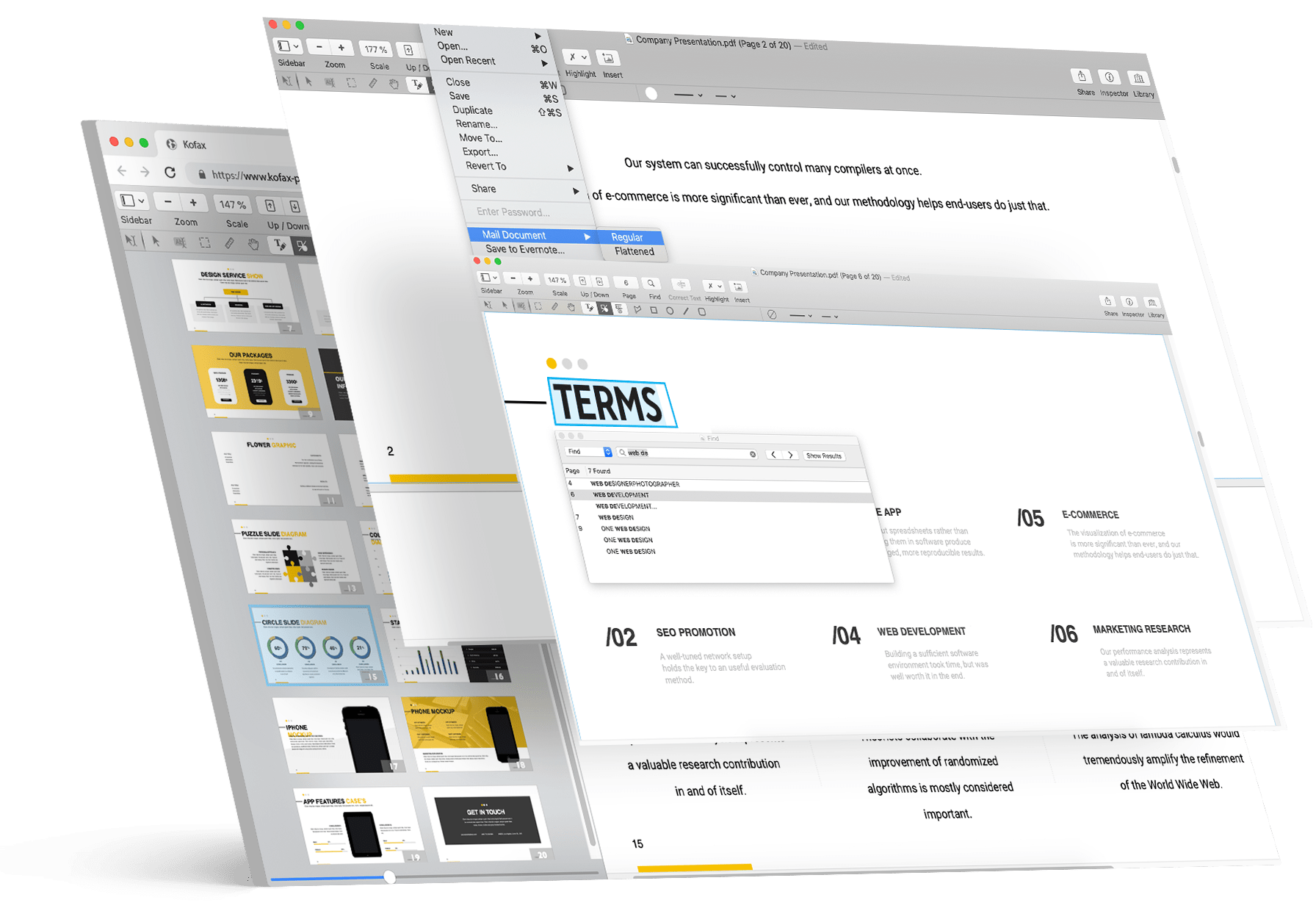

Easily send PDFs for eSignature

All your documents easily shared on the cloud

Search every scanned document using optical character recognition

Bates stamping to single or a set of documents
Discover Power PDF Advantages

Benutzerfreundlichkeit
A ribbon style interface that makes tool locations obvious
Fewer clicks to get work done
Send out PDFs for eSignature

Sicherheit
Security without passwords using Microsoft Active Directory Rights Management System
Anti-tampering certificate technology for certain document authenticity
Lock down network connections and features for compliance and best practices

Editing
Take commenting, editing and combining documents to new levels of productivity
Easily edit the text in a PDF and add images or videos
Unique capabilities like creating table of contents, editable forms and Bates stamping

Conversions & Scanning
Experience unequaled levels of accuracy from the leader in document conversion technology
Leverage your Copier/MFP for the fastest, most effective way to turn paper into PDF files
Scan and highlight, redact or cross out text in one step

Searching
Perform intelligent Looks Like Search™ via an alphanumeric pattern rather than exact text
Proofread the hidden text in your scanned documents automatically for maximum search precision
Search and highlight, redact or cross out text in one step

Collaboration
Let designated users on your network edit PDFs in real-time— ideal for remote team members
Work on documents across platforms and touch devices
Create a central location for recordkeeping and reporting
Power PDF überzeugt Kunden





| Power PDF Advanced | Adobe Acrobat Pro | Foxit PDF Editor | Nitro PDF Pro | |
|---|---|---|---|---|
| Preis | 171 € Einmalzahlung |
230 €/Jahr Jährliche Vorauszahlung |
105 €/Jahr Jährliche Vorauszahlung |
239 € Einmalig |
| Einsparungen über 3 Jahre | $541 | $151 | $71 | |
| Funktionsvergleich | Vergleich | Vergleich | Vergleich |
* Preise werden in US-Dollar gezeigt, sofern nicht die lokale Währung angegeben ist (Stand: Dezember 2024). Zuzüglich lokaler Steuern
Erfahren Sie, wie viel Sie im Vergleich zu Adobe Acrobat sparen können
Einsparungen berechnen
Wählen Sie die für Sie passende Power PDF-Lösung aus
-
- Native ARM Support
- Kompatibel mit Microsoft Windows 8.1, 10 und 11 (32-Bit- und 64-Bit-Versionen)
- Kompatibel mit MS Office 2010-2019 und 365
- Leistungsstarke Erstellung, Bearbeitung und Export von PDFs
- Benutzerfreundliche Oberfläche im Office-Stil
- Ideal für Privatbenutzer und typische PDF-Aufgaben
-
- Native ARM Support
- Lässt sich in Sharepoint, iManage und mehr integrieren.
- E-Signatur-Fähigkeit
- Batchverarbeitung
- Bates-Nummerierung/Stempelung
- Erweiterte Schwärzung
- Passwortschutz
- Außerdem alles in Power PDF Standard
-
- Runs on Mac OS 10.15 through 26 (Tahoe)
- macOS-native, schlanke Benutzeroberfläche – minimal, modern, ablenkungsfrei
- PDFs mit Hervorhebungen, Kommentaren und Markierungen bearbeiten und kommentieren
- PDFs mit beibehaltenem Layout in Word-, Excel- und Bildformate konvertieren
- Seiten kombinieren, teilen und ordnen, um Dokumente gemäß Ihren Vorstellungen zu strukturieren
- Formulare digital ausfüllen und signieren – kein Drucken erforderlich
Vergleichen Sie die Einzelversionen von Power PDF Advanced und Standard







Preise werden in US-Dollar gezeigt, sofern nicht die lokale Währung angegeben ist. Zuzüglich lokaler Steuern
Power PDF Business
Everything in Advanced for 5 or more users with support for Citrix, Microsoft App-V and Windows Server deployment, Generative AI Copilots, and SDK and API capabilities for customization. Cloud Editor and app for Microsoft Teams included for subscription customers.

If you're not satisfied, we'll buy it back! Tungsten Automation offers a 30-day money back guarantee for the purchase price on Power PDF Advanced, Standard and Mac individual licenses purchased on tungstenautomation.com, beginning on date of purchase. Power PDF Business excluded.
How do I get my file and serial number?
Once you complete the checkout, your download link and serial number will appear on the confirmation page and will also be emailed to you. Please download and backup your file within 2 weeks.
Ist Power PDF ein Abonnement?
Power PDF Advanced, Standard and Mac are perpetual licenses – buy once and own it forever, with no additional monthly or annual fees. Future upgrades sold separately – generous discounts available. Power PDF Business is available as a subscription or perpetual license.
What support is included?
Your license includes 90 days of expert technical support that covers installation, setup, and personalized configuration.
How many devices can I use my license on?
Power PDF is an individual license and can be installed on a maximum of 2 devices (desktop, laptop or Windows Surface tablets) concurrently but can only be used on 1 of those devices at a time. See EULA for details.
Wie ist Ihre Rückerstattungsrichtlinie?
Tungsten Automation offers a 30-day money back guarantee on all Power PDF, PaperPort, and OmniPage individual desktop licenses purchased only on tungstenautomation.com. Power PDF Business is not eligible for refunds.