

How Power PDF Empowers Your Business for Success
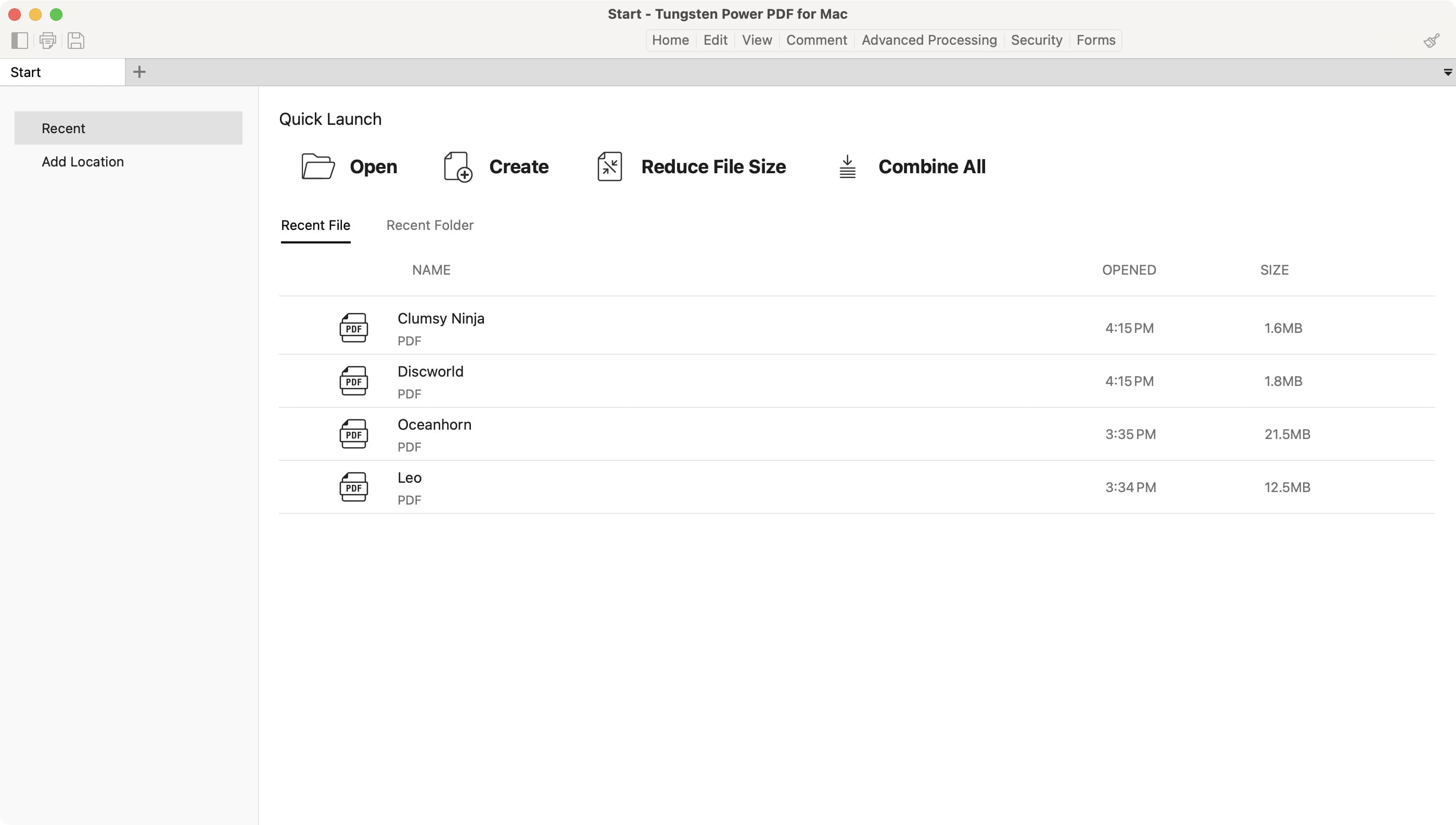
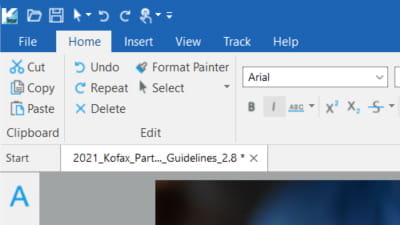
Power PDF is a PDF editor software that allows users to create, edit, convert, and secure PDF files with a Microsoft Office-style ribbon interface optimized for Windows and Mac.
Power PDF Core Capabilities
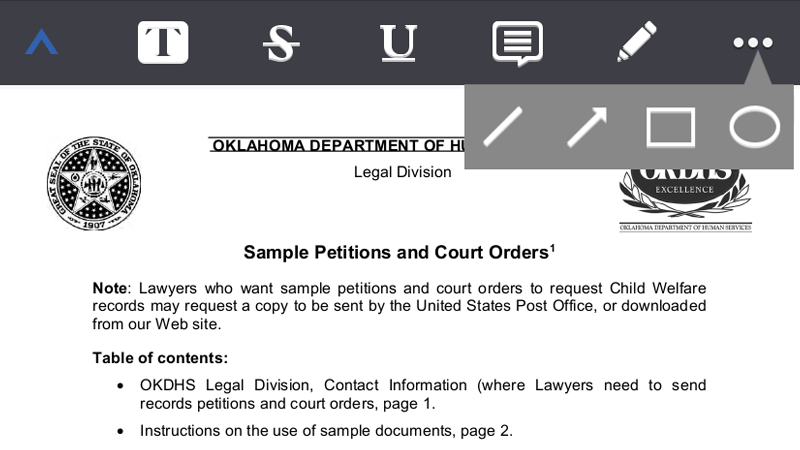
Create and edit PDF documents
Convert to and from Word, Excel, PowerPoint, JPG, and HTML
Redact sensitive information
E-sign documents
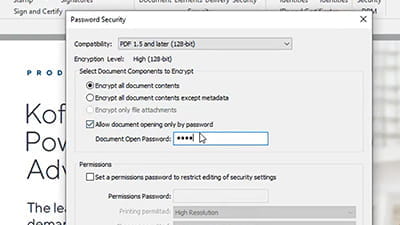
Password protect files
Zusammenarbeit in Echtzeit
OCR (Optical Character Recognition)
Cloud storage integration with Box, Dropbox, Google Drive, and OneDrive
 Create and edit PDF documents
Small and large businesses alike constantly depend on PDFs for compliance, communication and more.
At this point, the file format is so ubiquitous that you'll find it everywhere, from your bank statements to your children's homework, from tax forms to instructions on how to assemble a table.
However, some businesses need functionality such as converting PDFs to and from other formats and enabling password protection.
Power PDF is a cost-effective alternative that provides comprehensive PDF functionality with flexible licensing options.
How Power PDF Compares to Adobe Acrobat
At this point, everyone has had a chance to use Adobe Acrobat or its Lite version, Acrobat Reader. Before we developed Power PDF, there wasn't even a viable alternative. Admittedly, Adobe worked very well for yesterday's business. Nevertheless, times changed, and so did our business needs.
Compare Power PDF Editions| Funktion | Power PDF | Adobe Acrobat |
|---|---|---|
| Licensing Model | Perpetual license (Standard/Advanced) or SaaS subscription (Business) | Subscription-based |
| Interface | Microsoft Office-style ribbon | Proprietary interface |
| PDF Creation & Editing | Yes | Yes |
| OCR | Yes | Yes |
| Schwärzung | Advanced & Business editions | Pro edition |
| Elektronische Signaturen | Yes via DocuSign or Tungsten Signdoc | Yes |
| Cloud Editor | Business edition | Yes |
| Cloud Integration | Box, Dropbox, Google Drive, OneDrive | Adobe Document Cloud |
| Target Users | Home users to enterprise | Individual to enterprise |
| Platform Support | Windows 8.1-11, Mac OS | Windows, Mac |
Who Is Power PDF Best For?
Home users and small businesses:
Power PDF Standard provides essential PDF creation, conversion, and editing tools
See Power PDF StandardBusiness professionals in legal, medical, financial, or government sectors:
Power PDF Advanced offers enhanced security, redaction, and collaboration features
See Power PDF AdvancedLarge enterprises requiring centralized deployment:
Power PDF Business delivers cloud editing and collaboration, Microsoft Teams app, Generative AI Copilot (bring your own LLM), IT administration tools, and a customization SDK.
See Power PDF BusinessThe Way It's Been
The business world wouldn't be what it is today without legacy brands that led the way. We certainly believe in giving credit where credit is due, and the current standards of working with PDFs work well for yesterday's business world, but as professionals, we must think ahead - what will the world be like tomorrow? One trend we've seen recently is subscription prices that lock businesses into expensive contracts. Year after year, those contracts renew, yet the price goes up.
Is your business getting an honest return on those increases? Perhaps you're only experiencing basic PDF functionality, limited options for signatures and export options that don't entirely give your business the compatibility it needs to succeed. After all, how many times have you completed a fillable PDF only to discover that the information you entered wasn't saved? You don't always remember that you have to print or export the document, and that wasted time can have a real impact.
A Modern Approach to PDFs
Fortunately, Power PDF keeps all the best features of the past and develops practical solutions for your business. Power PDF Standard and Advanced are available as perpetual licenses with no monthly fees, while Power PDF Business is available as a SaaS subscription for enterprise deployment with cloud-based editing and a generative AI copilot.
With our secure PDFs, you can convert Word documents to PDF and back as needed. Protect your data while you make it easily accessible to the people who need it most. The Microsoft Office-style ribbon interface provides familiar navigation, and you have access to powerful tools that free up your time to get your company ahead of the curve.
Finding the Right Version for Your Business
Power PDF offers several versions to match distinct organizational needs:
Power PDF Standard
Most small businesses need software that provides core functionality, including converting PDFs to Word documents and other formats. Specifically, they need software that accurately delivers documents where they need to go and without error. Further, when their staff and clients receive these documents, the user interface must be easy enough to apply without confusion, but powerful enough to provide flexible commenting and markup options. With Power PDF Standard, your team and clients can convert, edit and review PDFs with ease.
The standard version is available for both Mac and PC. You can download the free trial to experience its design for yourself.
Die wichtigsten Funktionen:
- Convert PDFs to and from Word, Excel, PowerPoint, and image formats
- Edit text and images directly in PDFs
- Add comments and markup
- Fill and save forms
- Microsoft Office-style ribbon interface
- Compatible with Windows 8.1-11 or Mac OS
Power PDF Advanced
Some businesses require additional security and features to communicate effectively. Law firms, medical facilities, financial institutions, governmental organizations and other large employers demand a higher level of functionality. Empower your employees to collaborate in real-time, thereby cutting down on wasted effort and maximizing the benefits of having a skilled team. Redact sensitive information and share only what you want to without fear of someone reverting the document to a prior version. With Power PDF Advanced, you can ensure that only the people who are supposed to see your sensitive information.
Die wichtigsten Funktionen:
- All Standard features, plus:
- Redact sensitive information permanently
- Apply Bates numbering
- Compare documents
- Advanced security and encryption
- Real-time collaboration tools
- OCR for scanned documents
Power PDF Business
This version is suitable for small teams to global organizations. It includes the powerful features of Advanced, such as watermarking, e-signatures, password protection, redactions, and converting PDFs. Additionally, you can spread the licenses you need throughout your whole enterprise. Thus, you can empower your team to collaborate more effectively via your company's cloud. Power PDF Business enables your team to edit, convert, redact, protect and share PDFs regardless of their location. We adapt Business to suit your organization with a customized quote.
Die wichtigsten Funktionen:
- All Advanced features, plus:
- Enterprise deployment (minimum 5 users)
- Support für Citrix-, Microsoft App-V- und Windows Server-Bereitstellungen
- Centralized IT administration
- Cloud-based editing & collaboration via company infrastructure
- Microsoft Teams app
- Generative AI Copilot (with your own LLM)
- Watermarking and e-signatures
- Passwortschutz
- Customization SDK
- SaaS subscription model
Häufig gestellte Fragen
What is Power PDF?
Power PDF is a PDF editor software developed by Tungsten Automation that allows users to create, edit, convert, and secure PDF documents. It features a Microsoft Office-style ribbon interface and is available for Windows 8.1-11 and Mac OS.
Wie schneidet Power PDF im Vergleich mit Adobe Acrobat ab?
Power PDF offers similar core functionality to Adobe Acrobat, including PDF creation, editing, conversion, and security features. Key differences include licensing options (Power PDF offers perpetual licenses while Adobe Acrobat is subscription-based) and interface design (Power PDF uses a familiar Microsoft Office-style ribbon).
What are the licensing options for Power PDF?
Power PDF Standard, Advanced and Mac are available as perpetual licenses with a one-time purchase. Power PDF Business is available as a SaaS subscription for enterprise deployment for 5 or more users.
Which Power PDF version do I need?
Choose Standard for basic PDF creation, editing, and conversion needs. Choose Advanced if you require redaction, advanced security, or collaboration features. Choose Business for enterprise-wide deployment with centralized IT administration and cloud-based functionality.
What file formats does Power PDF support?
Power PDF can convert to and from Microsoft Word, Excel, PowerPoint, JPG, HTML, and other common file formats.
Getting the Most out of Your Documents
Power PDF is designed for the modern business. You'll experience high efficiency of working with the future of PDF applications. One version of the program is best suited to your company, depending on its size and functions. And our team is happy to review this decision with you so that you make an informed choice for your business.
Your business deserves a high-quality, cost-effective solution to your document management needs. Power PDF takes an outdated and frustrating process and combines all the features you need. PDFs are already everywhere, and they're only becoming more commonly used. Make sure your business is prepared with Tungsten Power PDF.
We know PDFs can be critical to your individual or business needs.
Finden Sie die passende Power PDF Lösung für Ihre Anforderungen
Compare Power PDF Editions